
Aerial view of organized marina slips and docked boats

Poseidon Marina AI

Poseidon, your AI marina management assistant.

Poseidon is the AI behind Atlantis Bot. Staff can ask about reservations, invoices, documents and Ship Store workflows in the workspace they are using. Boaters get guidance on your marina website. Staff review proposed changes, and access follows their permissions.

Book a demoStart your marina
-Guides staff inside the platform
-Answers boaters on your website
-Staff approve every action

Live in the dashboard

The Atlantis Bot assistant open beside the reservations workspace, offering to walk through the current screen

What staff ask it

“What needs my attention next?”“Show me around this screen”“Which documents expire before the weekend?”

One AI, both sides of the dock

Poseidon works your counter and your website.

The same marina intelligence shows up in two places: beside your staff inside Atlantis Marina, and in front of boaters on the page where they are deciding whether to call you.

Inside the platform

For your staff

Atlantis Bot sits in the dashboard next to the work. Staff ask in plain words and get the answer for this marina, this screen and their own role, then a button that takes them straight to it.

  • Explains the screen in front of them, not software in general.
  • Opens the right workspace instead of describing where to find it.
  • Sums up the day, then drafts the reply for a person to send.
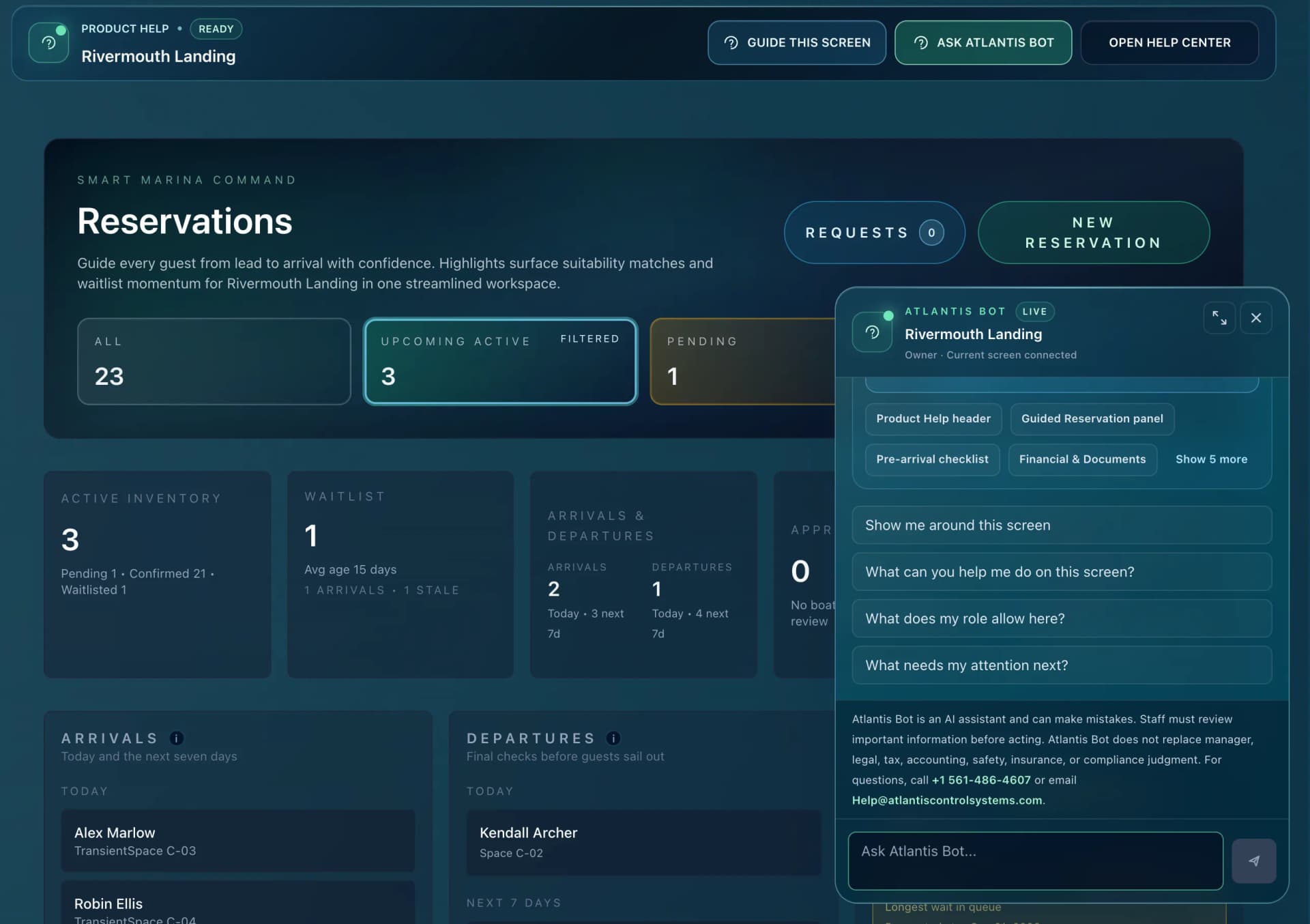
The Atlantis Bot assistant open beside the reservations workspace in the marina dashboard

On your marina website

For your boaters

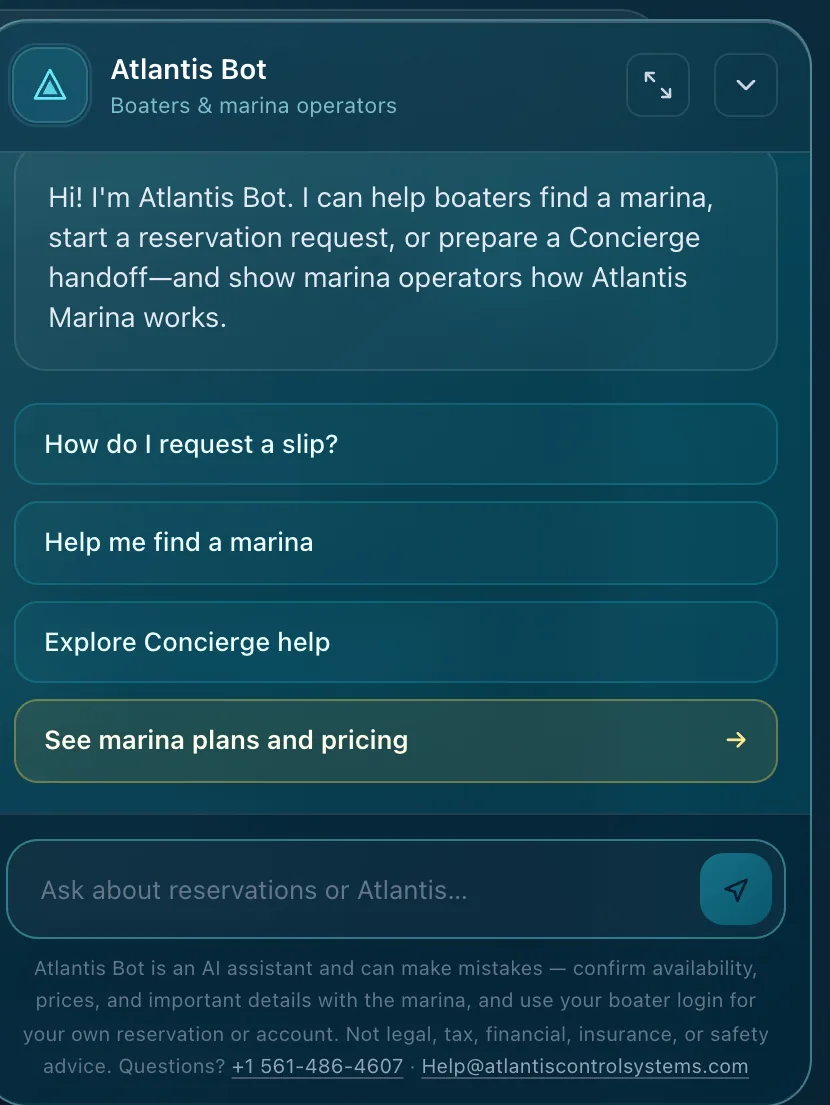
The same AI meets boaters and prospects before you do. It explains how a stay works, what suits their vessel, how to request a space and how to reach you, at any hour, then hands real interest to your team.

  • Answers slip, dry stack and arrival questions around the clock.
  • Turns a genuine enquiry into a tracked request, not a lost voicemail.
  • Keeps private records private. Boaters sign in for their own account.
The Atlantis Bot assistant open on a marina website offering to help find a marina and request a slip

It knows the whole platform

ReservationsBilling and QuickBooksDocuments and insuranceMessaging and SMSShip Store POSFacility map and spacesDry stack and liftsBoater accountsRates and contractsYour own procedures

Ask it anything on the page

What people actually ask, and what comes back.

Some answers point you at the right workspace. Some do the work, once you confirm it. These are the shapes of both, for the two crews that use it.

Staff, in the dashboard

What needs my attention next?

Two arrivals and one departure today, one approval still waiting on you, and a document that expires this week.

Open ReservationsOpen Documents

Add a fuel dock check to the Kingfisher pre-arrival list.

Ready when you are. Nothing is saved until you confirm it.

Task: Fuel dock check

Reservation: Kingfisher, C-03

Appears on the pre-arrival checklist

ConfirmCancel

You confirm it. It goes on the record, and it can be undone.

We sold four more blue fenders than the count shows.

I can correct the Ship Store count to match. Same deal, you confirm before anything moves.

Confirm adjustmentOpen Ship Store

Boaters, on your website

I can show you which Atlantis marinas take that length. The marina confirms availability, so the next step is a request with your dates and vessel.

Find a marinaStart a request

Usually insurance and registration, plus a signed agreement. Your marina sets the list, and you upload it from your boater account before you get there.

See the boater app

The work it can do, it asks first.

Adding a pre-arrival task or correcting a Ship Store count happens on a confirm button, never on its own. Each one is written to the audit log with the staff member who approved it.

Example exchanges, shortened for the page. Wording varies with your marina, the screen and the staff role.

Why it matters

The difference between owning a platform and running on one.

Marina software fails on adoption, not features. This is how a busy team gets the value out of the system on the first weekend instead of the second season.

Review the day’s marina activity

Ask about arrivals, departures, pending requests and open balances, then open the related workspace to review the details.

Guide staff through the screen

A seasonal hire can ask how a workflow works while using the platform. Guidance stays connected to the current screen and the staff member’s role.

Help boaters on your website

Explain how a stay works, what vessel details a reservation request needs and how to reach your team. Private account questions go through the boater login.

Explain invoices and payments

Staff can ask what an invoice covers, why a balance is open or where a payment landed, and review the related record in the accounting workspace.

Find documents needing attention

Review missing registration, expiring insurance and unsigned agreements tied to the relevant boater and reservation. Staff decide the next action.

Use your marina’s procedures

Facility Knowledge gives staff guidance from the procedures, local rules and escalation paths your team adds to Atlantis Marina.

Your call, always

It works for your team, not instead of it.

It never sends for you

Replies to boaters are drafted and wait. A person reads them and presses send, the way they do today.

Work happens on a confirm

Adding a pre-arrival task or correcting a Ship Store count needs your approval, and lands in the audit log under the name of whoever gave it.

It only sees what they see

Answers stay inside the role of the person asking, and boaters on your website reach nobody’s private account, including their own.

See the real thing

This is the platform your staff would open on Monday.

Every screen below is the working product, with the assistant a click away on each one. The marina and the people in it are invented for these examples.

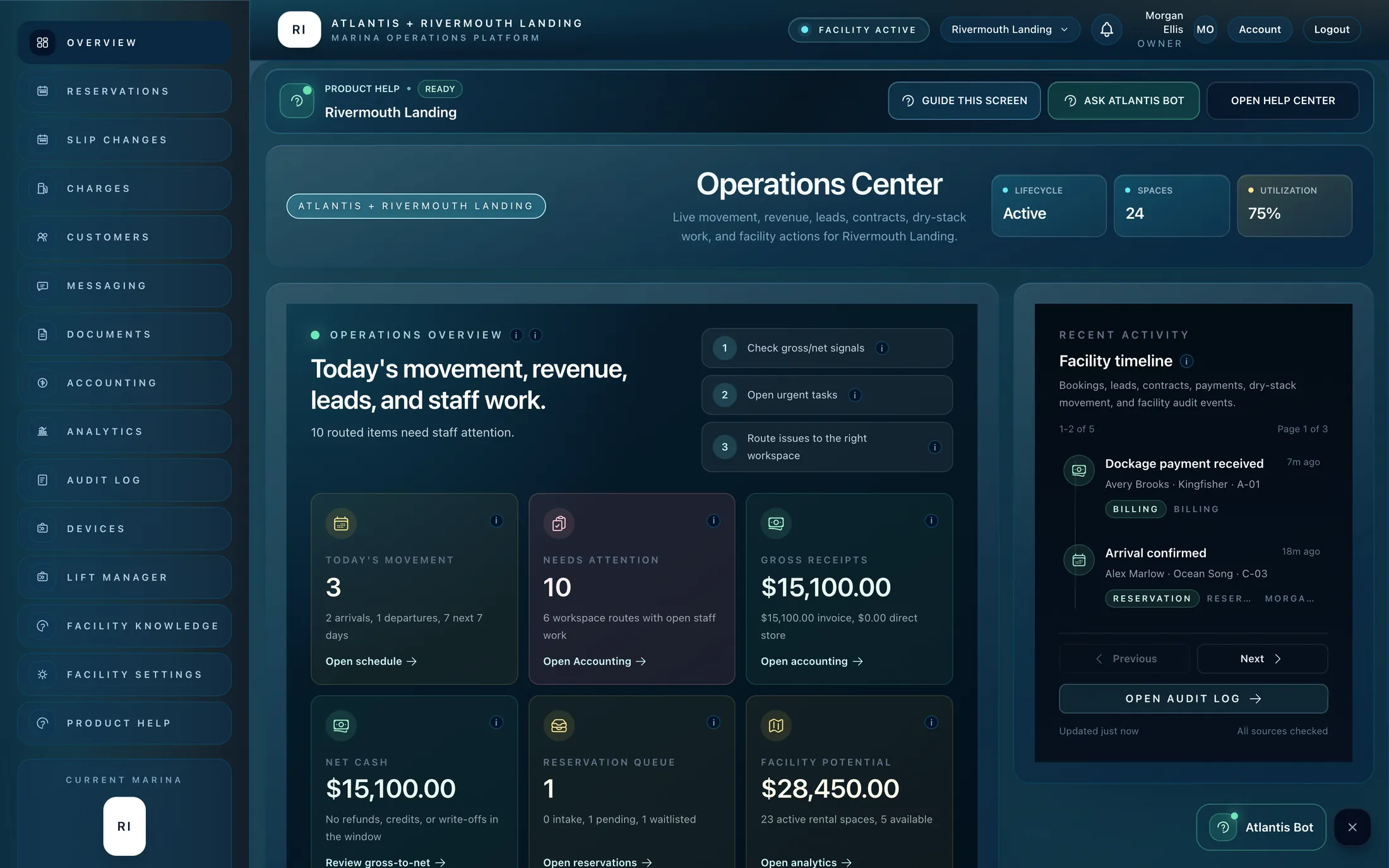
Atlantis Marina operations centre showing occupancy, receipts and the day’s work

The whole marina, first thing

Movement, money, leads and the jobs waiting on staff, with the assistant one click away on this screen and every other one.

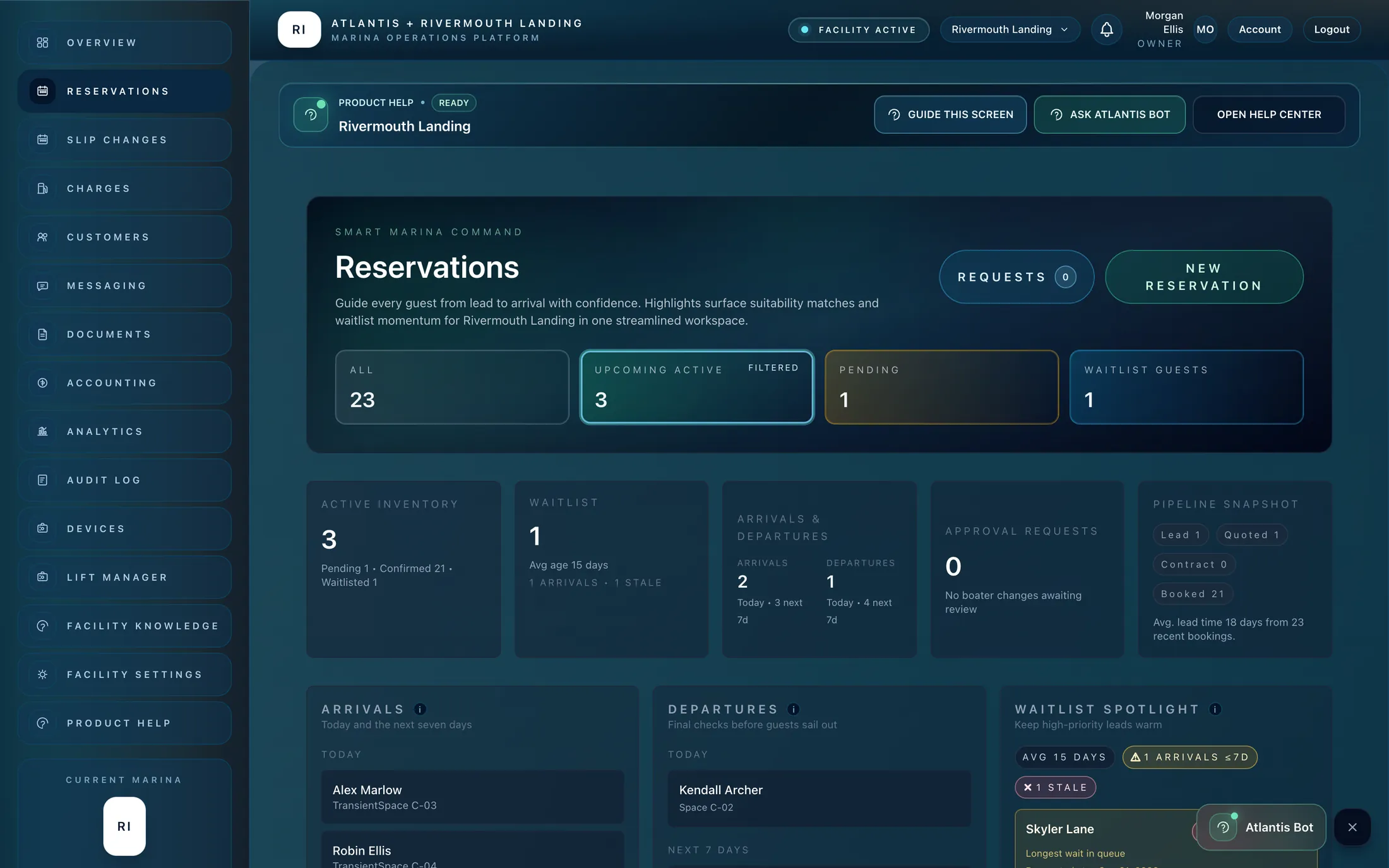
Atlantis Marina reservations workspace showing arrivals, departures and waitlist

Reservations and the day on the dock

Requests, arrivals, departures, slip assignment and waitlist, with the assistant one click away on the same screen.

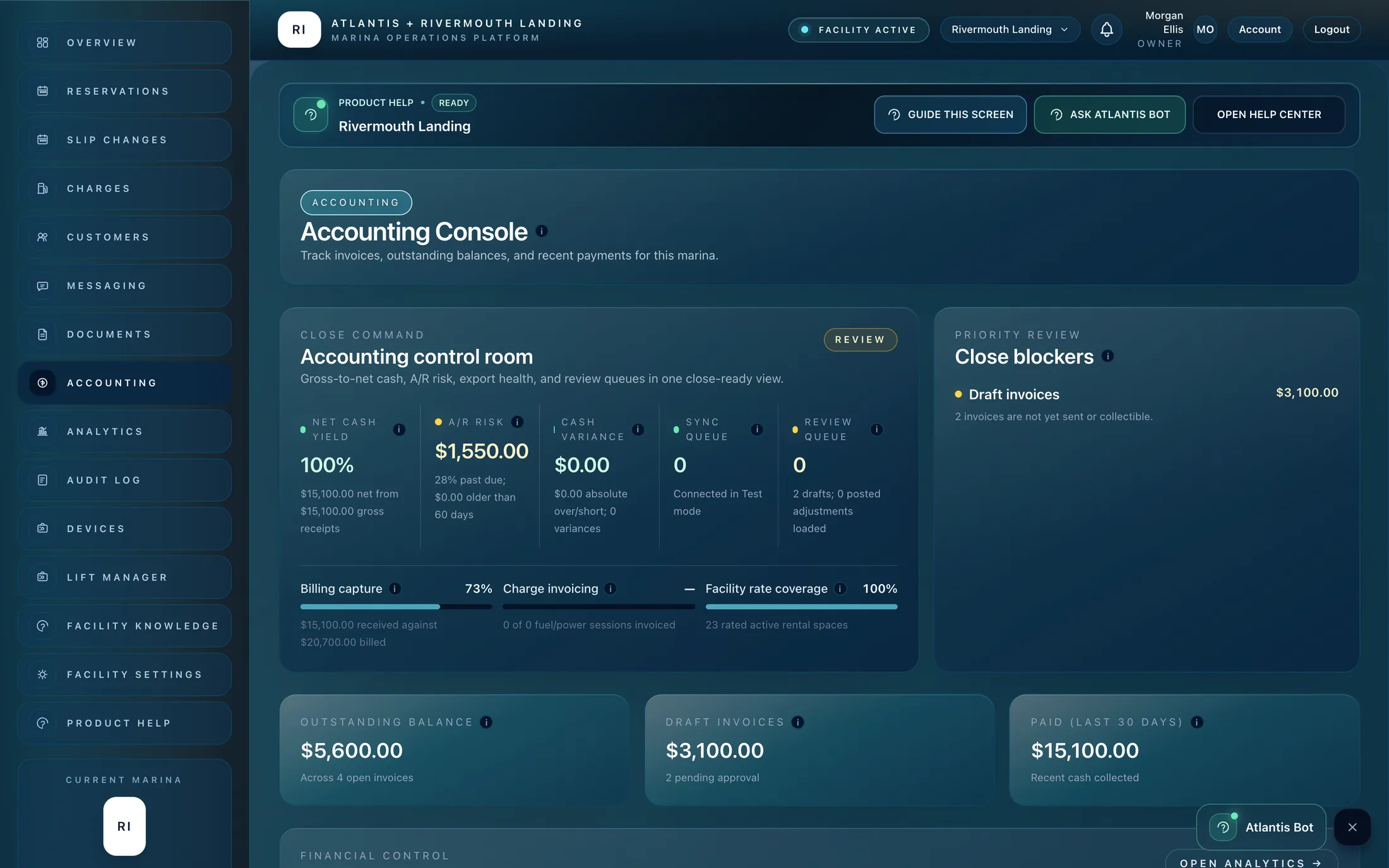
Atlantis Marina billing and accounting workspace with invoices

Billing, payments and QuickBooks

Invoices, balances, refunds and reconciliation, with plain answers about what a charge covers and where a payment went.

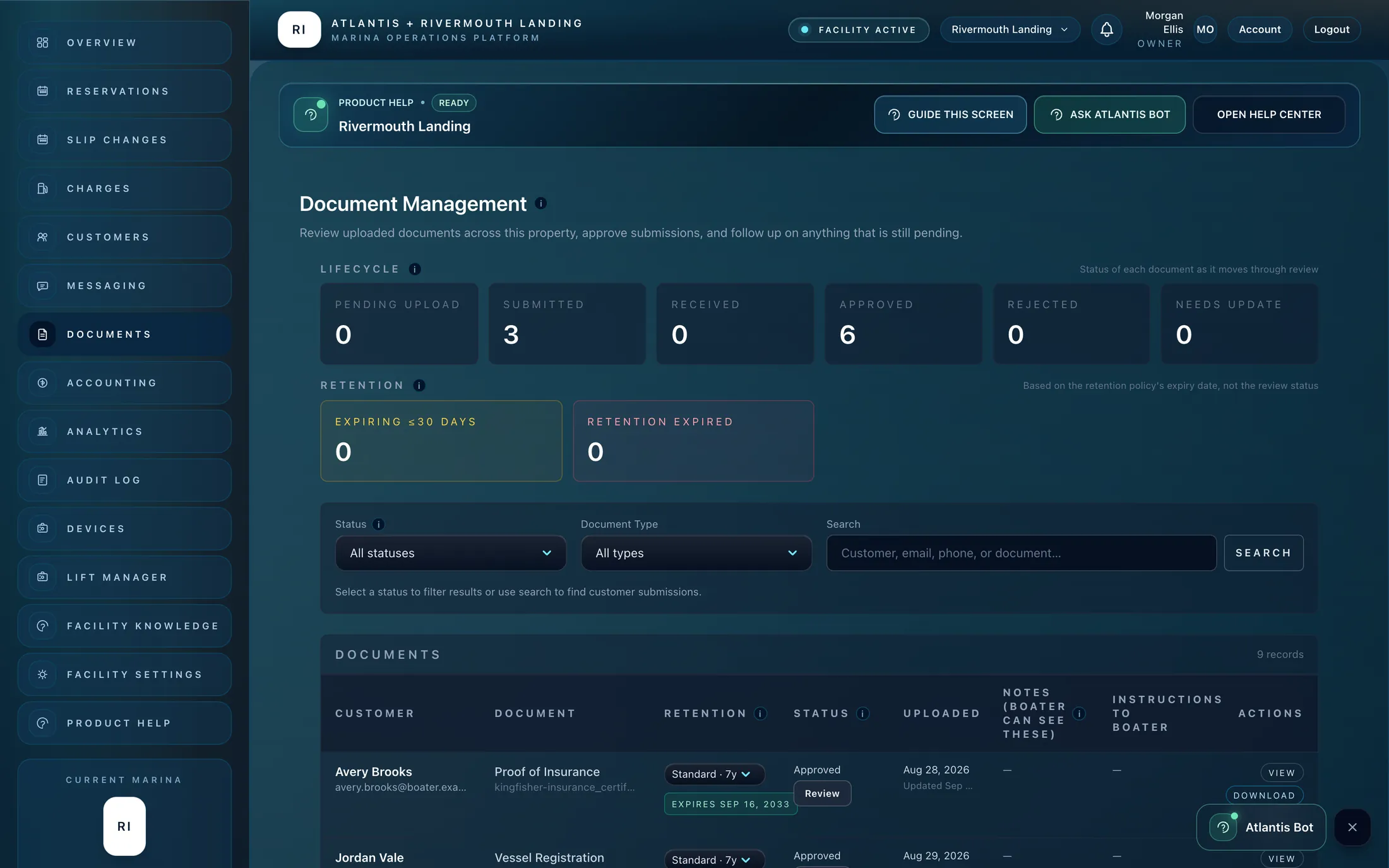
Atlantis Marina documents and agreements workspace

Documents and insurance

Missing, expiring and review-ready paperwork surfaced as work to do, tied to the right boater and reservation.

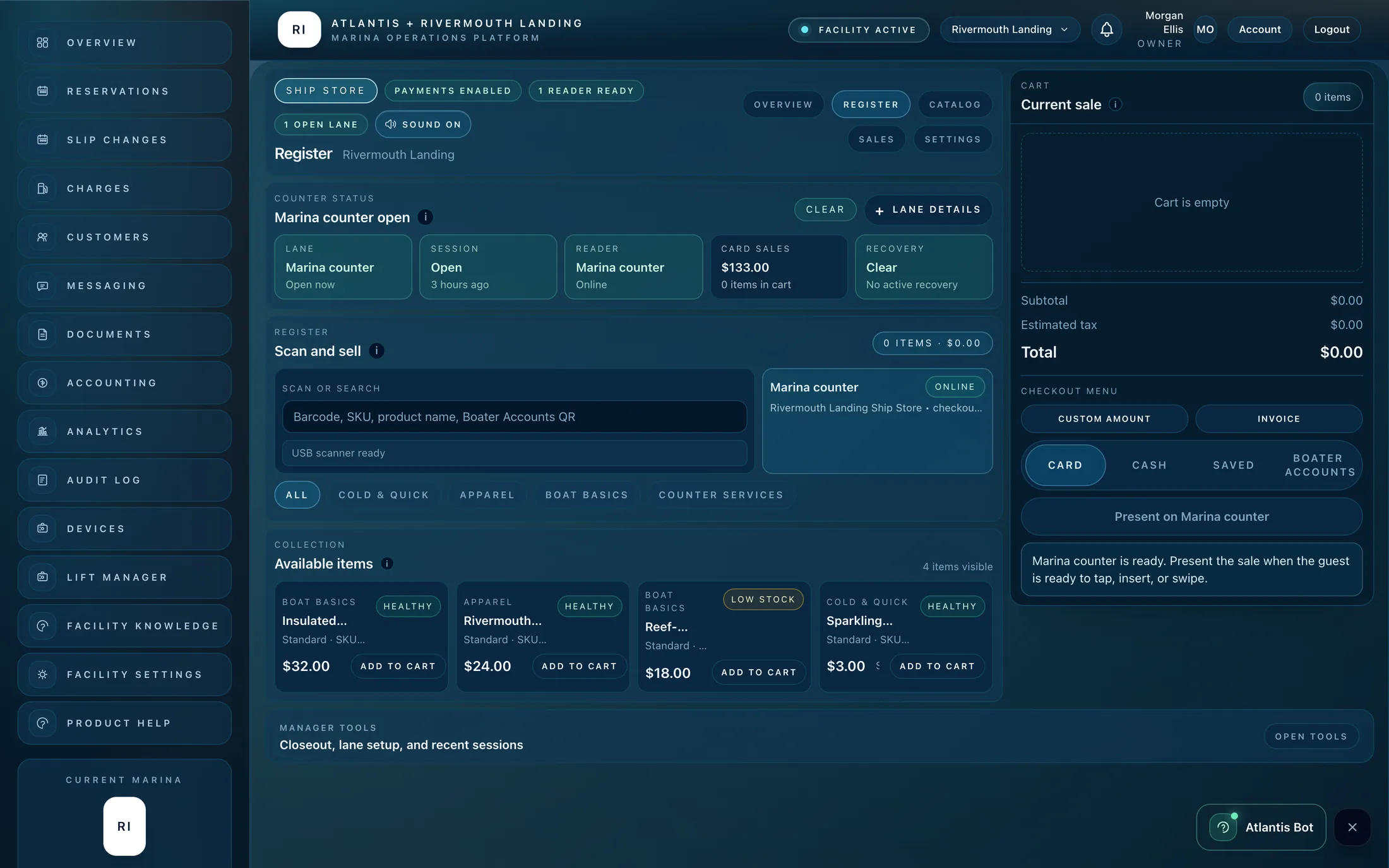
Atlantis Marina Ship Store register with a card reader ready

Ship Store and the register

Counter checkout, catalog, card readers and cash closeout, with guidance for whoever is covering the store today.

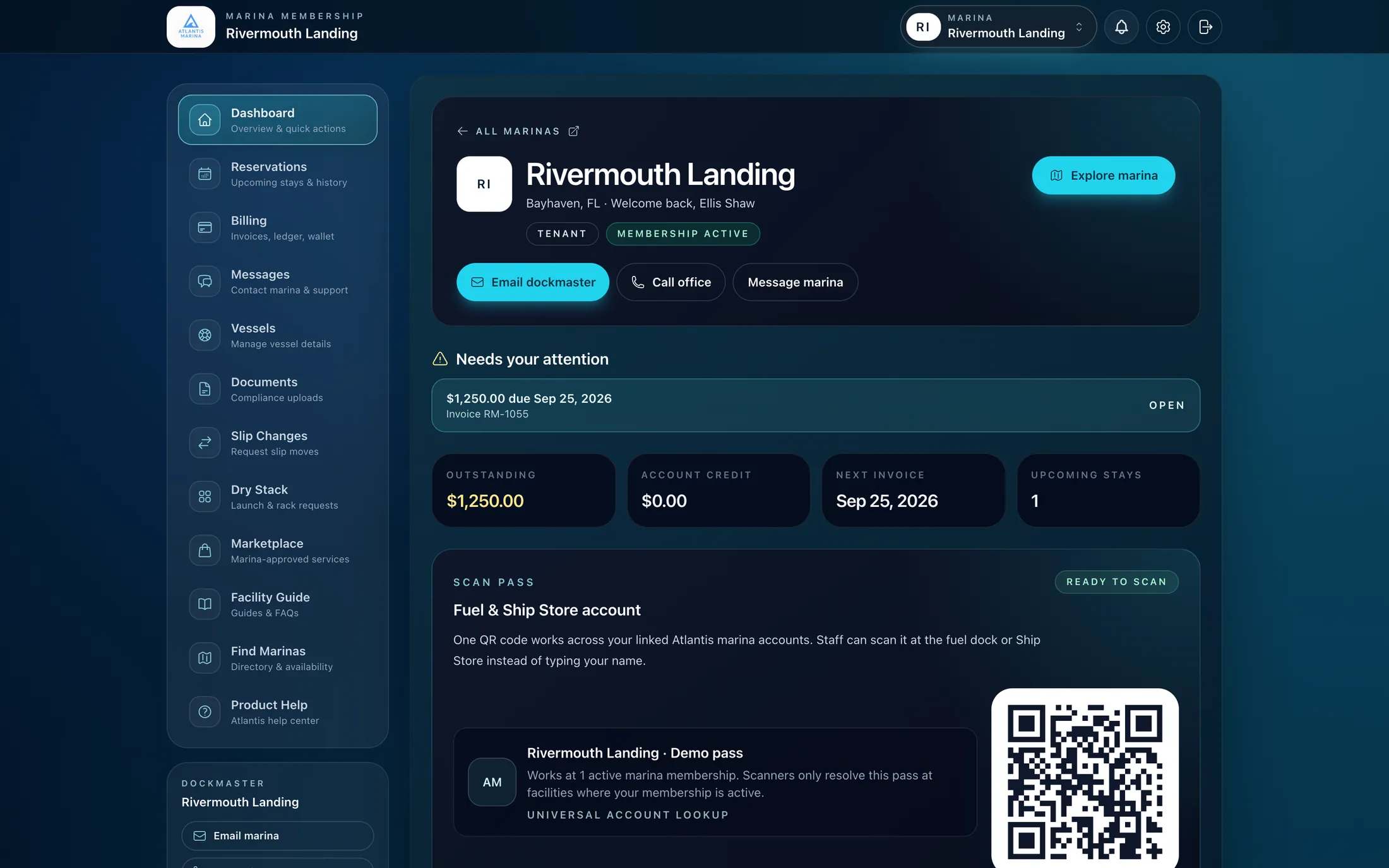
Atlantis boater account dashboard with balance, upcoming stay and scan pass

The boater account

Stays, invoices, autopay, documents and a scan pass, so boaters can answer most of their own questions.

FAQ

What marina owners ask us first.

AI disclosure

Atlantis Bot is an AI assistant and can make mistakes. Staff must review important information before acting. Atlantis Bot does not replace manager, legal, tax, accounting, safety, insurance, or compliance judgment. For questions, call +1 561-486-4607 or email Help@atlantiscontrolsystems.com.

How does Poseidon work with Atlantis Bot?+

Poseidon is the AI behind Atlantis Bot. Inside Atlantis Marina, staff get guidance connected to their current screen, marina and role across reservations, billing, documents and Ship Store. The website assistant helps boaters and prospects with public guidance.

Who approves AI actions and controls account access?+

Poseidon explains records, opens workspaces and drafts replies. Staff confirm proposed tasks or inventory changes, review messages before sending, and retain control of approvals and charges. Answers follow the staff member’s permissions; public website visitors cannot access private accounts.

Do boaters get it too?+

Yes, on your marina website. Boaters and prospects can ask how a stay works, which vessel details they need for a reservation request and how to reach your team. Private reservations, balances and account records stay behind the boater login.

Do we have to train it on our marina?+

No setup project. It knows the platform on day one. Anything you add to Facility Knowledge, such as your procedures, quiet hours or escalation paths, becomes part of the answers your staff get.

Does it cost extra?+

No. Poseidon is included with Atlantis Marina on every plan today, with generous usage limits and no AI add-on to buy. Onboarding is free on every plan too. All pricing is subject to change.

Poseidon Marina AI

See it answer a question about your marina.

Bring your own dock, your own paperwork and your own awkward Saturday. We will show you what your staff and your boaters would get. Onboarding is free on every plan.

Book a demoSee pricing

The Atlantis advantage

One connected marina.
More ways to grow.

The next opportunity is already on your dock. Connect reservations and billing with approved services, boater relationships and the tools to run your waterfront.

Enterprise Analytics

See the bigger picture across your marina group: occupancy, cash, receivables and reporting coverage.

Make it your marina. Start online.

Free onboarding on every plan. Set up privately yourself or let Atlantis help, then go live when ready. Public marina plans from $150/month. Card required; no plan charge at signup.

Private club? Plans from $300/month*. Request your club quote

*Private club pricing is subject to a custom quote.

Trial begins when your workspace is ready. Cancel before it ends to avoid the plan charge. Module pricing, facility enablement, transaction fees and hardware requirements vary. All pricing is subject to change. See plans and fees.